
How It Works
Click the one which is applicable to you below.Buyer
When you see products advertised on social media platforms and you wish to make a purchase, but you are cautious because you have so much questions like
if I pay this seller for the product, will he actually send it? If I make a payment for this item, will the seller send exactly what he described? etc.
Do not worry: just ask the seller to create a Mishkn Order, and send you the Order Code. Make your payment via your Buyer Account, and leave the rest to us.
It does not matter who wants to sell products to you, or where you saw the products you wish to buy; if you want a secure means of transaction, simply tell the buyer to send you the Mishkn Order Code for your purchase.
To make safe purchases for products online through our service, register for a Buyer account here. After signing up, activate your account by following the instructions sent to the email address you provided during registration. You will only be required to click on the activation link in your email.
After activating your account, follow these steps:
- Sign-In and click on Orders
-
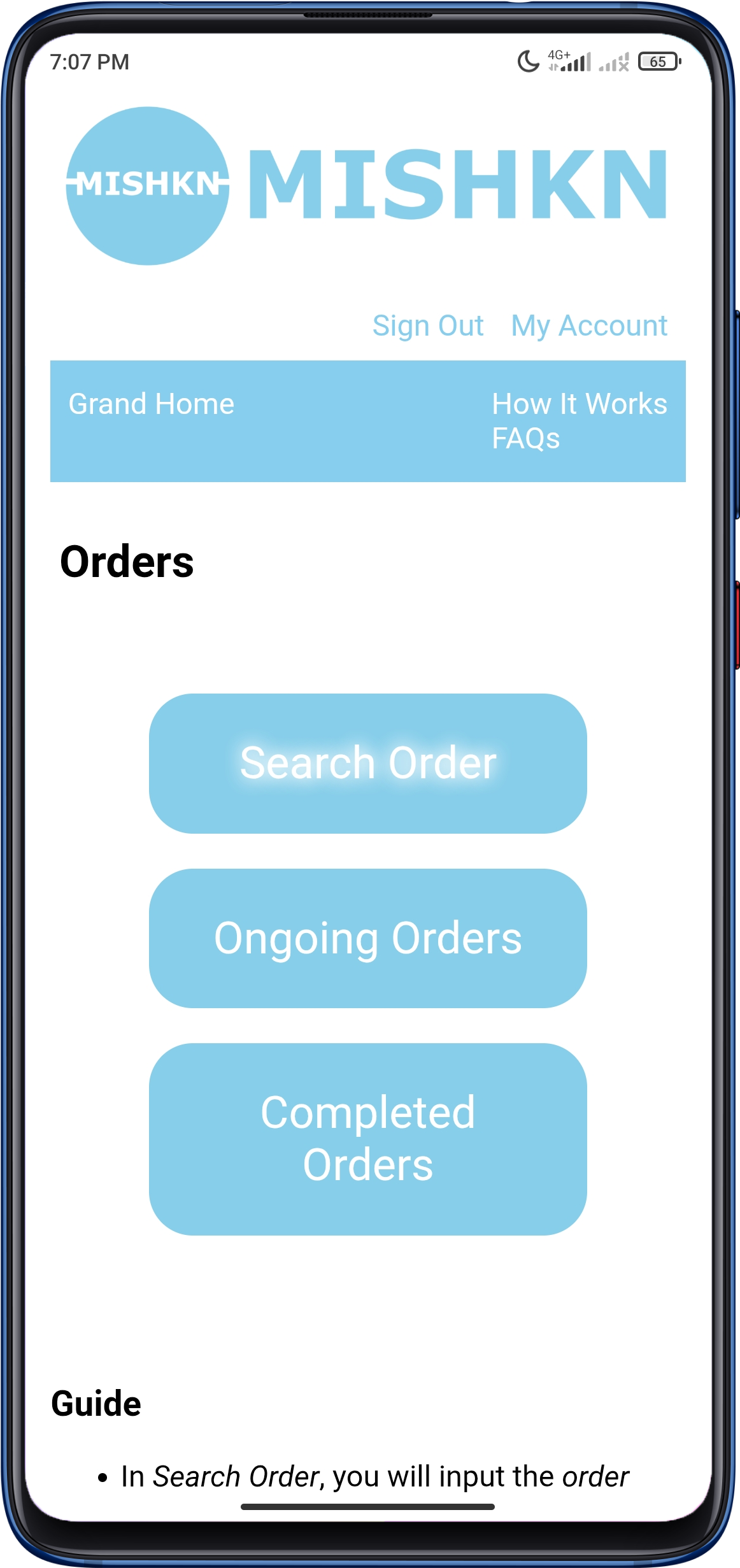
Click on Search Order as shown in the image below:
-
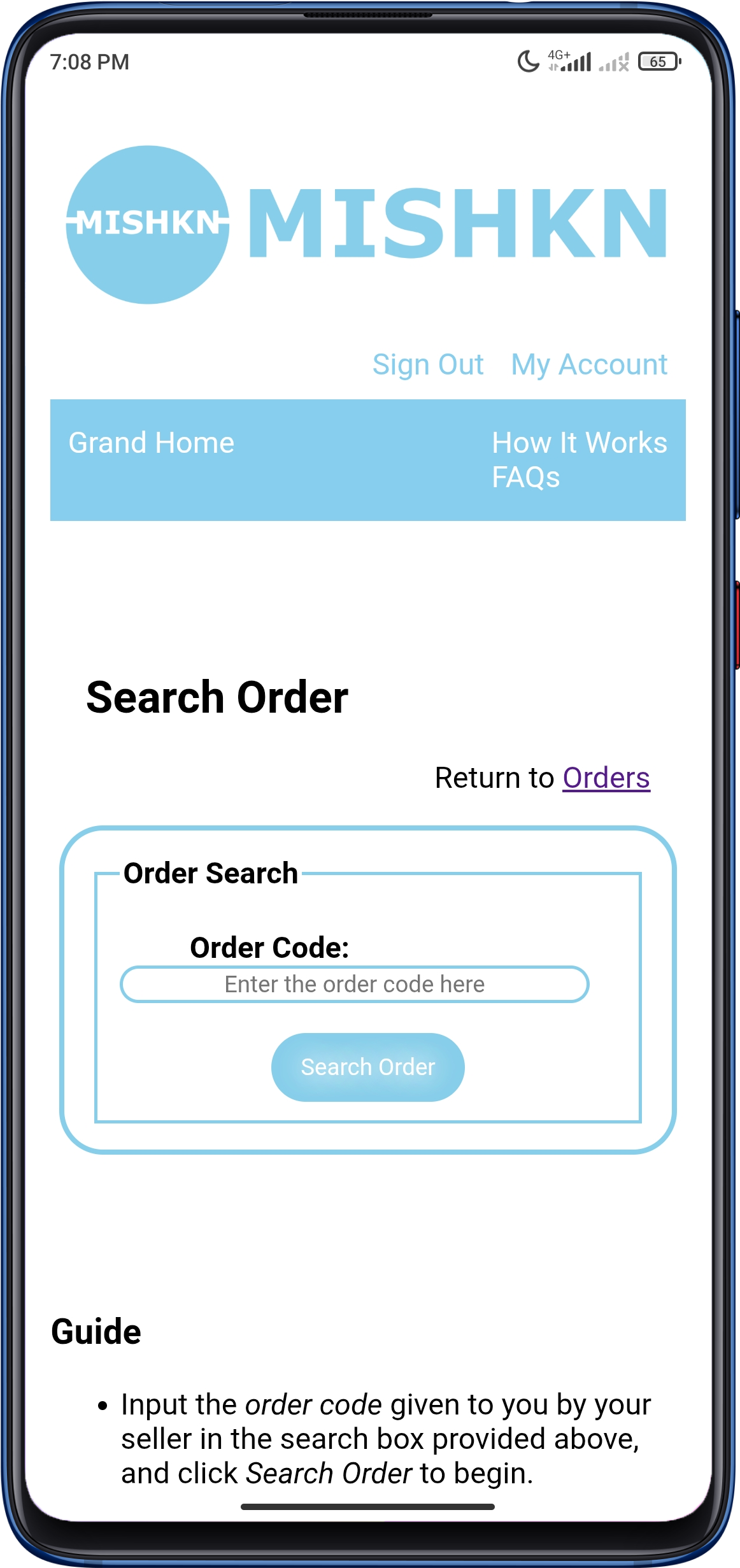
Insert the Order Code into the field provided in the form, and click Search Order to search the order.
See the image below:
The Order Code looks like this:
djie9372jskd06khnfoq724dnvlhpt0wtqmajdncls73hajfnt9yku05kw8sw84
It is a 64-character long code that is gotten by the Seller after he has successfully generated the order. If you do not have this code, contact your Seller for it. - If the order Code is correct, the order will be loaded. Go through the details of the order, and make sure the Order Description and Order Pictures exactly matches what you had discussed with the Seller.
- If the order is exactly what you want, proceed to make payment.
-
After making payment for the order, you will be able to view the Seller's phone number to contact him.
To view the order details and Seller's name and phone number:- go to Ongoing Orders like in this image here above.
- Click on Paid
- View the order you just paid for. You will find all those information there.
-
After making payment, the Seller will be notified, and will send the order package to us for Validation.
You can also call the Seller by this time, if you choose. -
If it passes our Validation, we will send the order package to you.
Read our Money-Back Guarantee to know what happens if an order fails our Validation process.
Seller
If you advertise your products via social media platforms or any other means, you will find out that a large number of your customers (and potential customers) will request for payment on delivery.
Some of the questions of doubt you may ask yourself are: Will the customer pay for this product when he receives it? What if the customer tells you he does not like it, and decides to pay you whatever he pleases?
You do not want to lose your products like this; but the customer also has his rights in requesting for payment on delivery.
Here is what you can do: tell your customers (and potential customers) that you will send them a Mishkn Order Code which they will use via their Mishkn Buyer Account to make the purchase for the products.
This way, your customers are more confident in buying from you, and you sell more as many other potential customers find out you sell securely.
To safely sell your products online through our service, register for a Seller account here. After signing up, activate your account by following the instructions sent to the email address you provided during registration. You will only be required to click on the activation link in your email.
After activating your account, follow these steps:
- Sign-In and click on Orders
-
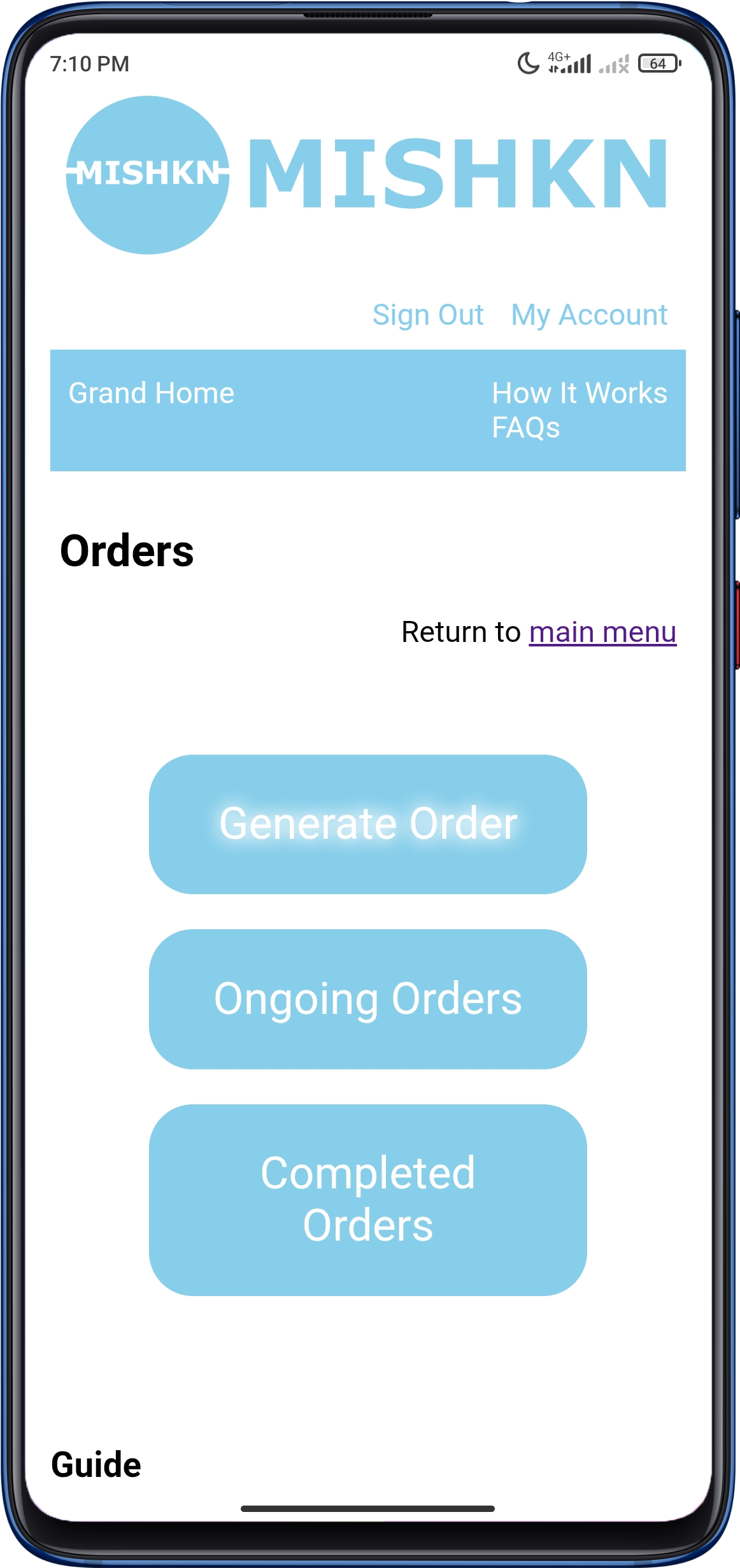
Click on Generate Order as shown in the image below:
-
Put in the order details accordingly in the fields provided, and upload exactly four pictures of the product you wish to sell.
You should read the Guide at the bottom of the Generate Order page carefully to understand how to successfully generate an order. -
After successfully generating the order, we will receive it for approval.
Note: Order will not be avaialable for payment by the Buyer until it is approved. - After approval, you can send the Order Code to the Buyer for payment.
-
After payment by the Buyer, you will send the order package to us for Validation.
You will see our information within the order details in Ongoing Orders once the order is paid for by the Buyer. -
If it passes our Validation process, we will send it to the Buyer.
Read our Money-Back Guarantee to know what happens if an order fails our Validation process. - After the order is marked as Completed you will receive the payment in your account.